


This is our live stream event planning guide for online video projects, hybrid and virtual events. There are numerous technical and practical questions we will need to address when preparing a detailed livestreaming quotation. Some of our clients will be new to live video production and therefore need a lot more guidance than those with experience.
This article is quite technical in parts and a little bit lengthy. We hope it goes some way to explaining why the things we ask about are important. We’ve tried to avoid too much technical jargon. You may ask us questions about our live event video production services either by contacting us directly or commenting below.
Whilst some of the subjects covered here are applicable to all live productions; there will be some variations depending on the scope of the event, the venue facilities, logistics and available budget.
The information has been broken down into key areas as follows –
- Event Category – Live stream broadcast, interactive webinar, single venue hybrid, multi-venue hybrid
- Site Visit and Venue Facilities – Power, light, connectivity, load in/out access, parking
- Online Management – Account access and control
- Scheduling – Production management, talent and guests including remote contribution
It’s worth noting that there will be some elements of pre-production planning that are yet to be determined or rely on information that will not be to hand. One or more site visits, or more detailed enquiries may need to be conducted to be ensure the success of the event.
Live Stream Event Categories
It’s important to establish the scope of an online video event at an early stage. The most simple event is an online broadcast of conference or gig with a live audience present at the venue. The online viewer would see something similar to those in the venue. They may have the option to comment on social media but further interaction such as asking questions or taking part in a discussion with those on stage is not possible.
Remote Guest Speakers
Remote contribution has become commonplace with remote guests able to participate with other guests, either in a studio, on stage or from their homes and workplaces.
Online WebCasts with remote contributors taking part at an in-person event are now achievable. Viewers can watch the contributors and in some cases make comments or ask questions but won’t interact on-camera unless invited to do so.
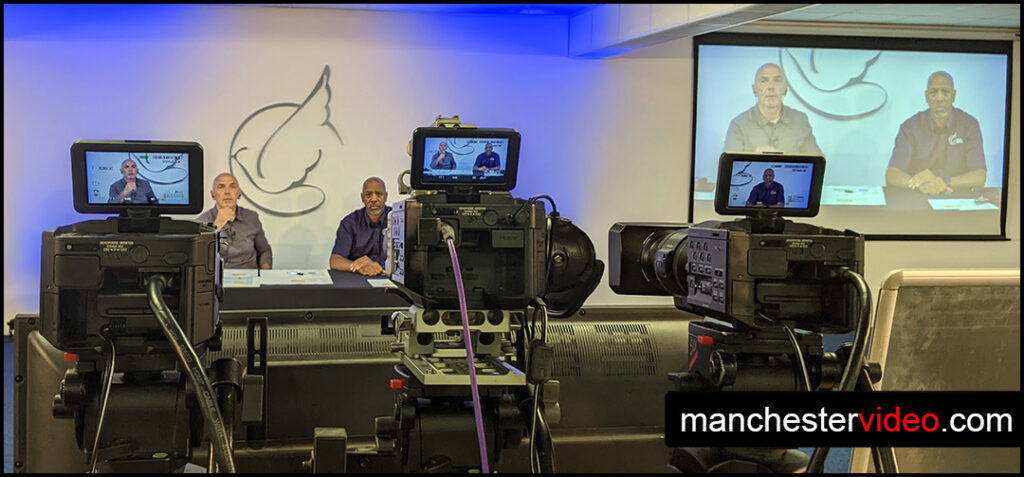
A single venue hybrid event would typically be a conference from one place with an in-person audience and a viewing audience online. Hybrid-events have the option of remote contribution.
Multi-Venue Linked Events
Multi-venue hybrid events allow events to take place simultaneously at different venues with each venue able to interact with those present at the other venues as well as remote contributors. For example, a number of regional venues can be linked together with keynote speakers at each location. Any speaker or remote contributor can be seen and heard at all venues and interact with each other. In addition to this the entire production from all venues can be broadcast to an online audience as a view only live stream or a webinar.
Interactivity on the part of the viewing audience can range from simply adding comments to a live stream. Taking the interaction a step further viewers can ask direct questions to speakers or to a panel. This can be as simple as raising their ‘digital hand’ to take part in the event via their mobile or computer. Comments, questions and interaction should be monitored and moderated.
XR & VR Live Events
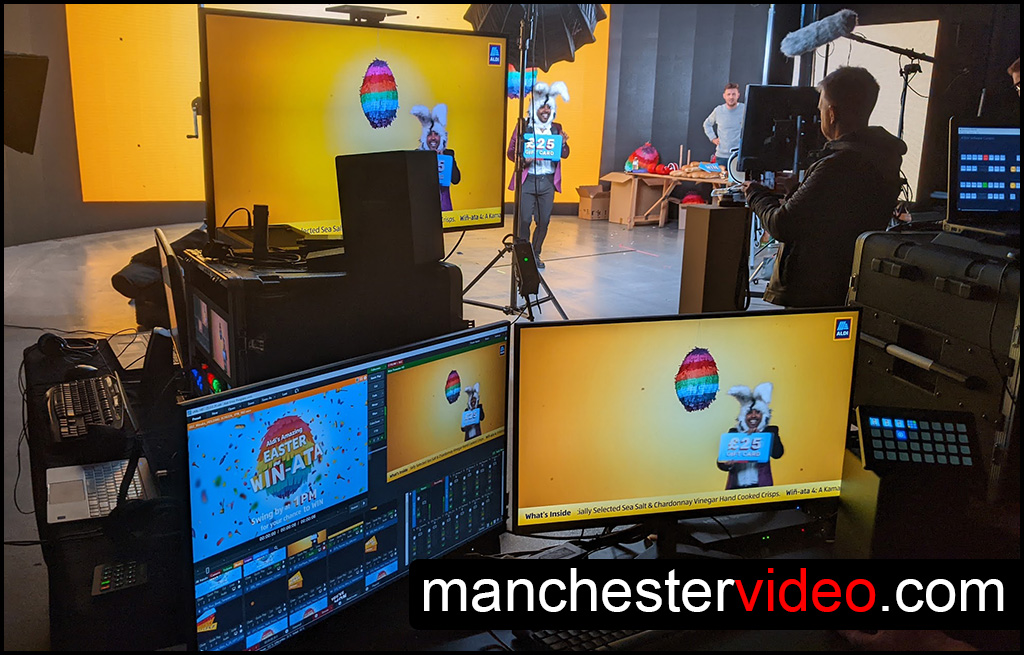
Some of the more innovative online video includes XR production. Put simply XR makes use of LED screens, motion tracked cameras and powerful real-time graphics to create a virtual environment in a studio.
Pre-Production Site Visits for Live Events
Going into an event blind is never a good idea. We always aim to conduct at least one visit to site to get a better understanding of the venue and facilities available. Knowing the basics such as vehicle access, loading areas, building layout, power, light and comms’ etc make things a lot easier for the crew. Detailed live stream event planning allows costs to be determined and potential problems avoided.
Practicalities of a Site-Visit
On a typical site visit our technicians will also be looking at where cables can be safely run, where the talent will be entering and leaving the stage, how daylight and darkness may alter the look of the room during the event and much more.
We also ask a lot of questions about things like loading and unloading rules, parking permits, who else we will be working with such as in-house lighting and audio production crews.
Communications During Live Events
Production teams rely heavily on voice communications (comms) to ensure events run smoothly. Often we need to have comms between video production, image magnification (IMAG) for venue screens and/or audio, lighting and overall production management. Working out the comms system requirements at an early stage is vital for many events.
Lighting is Important
Some venues have house lighting installed. Theatres typically have their own lighting crew but many venues do not. A site visit may be our only opportunity to make sure the lighting is suitable for live video production. At the very least we need to find out how to control the lighting and where necessary request that changes are made.
Getting Audio Right
Similarly we need to assess the sound system in a venue to determine how that might fit into a live video production. Sound systems differ in terms of their purpose but may share similar equipment. A sound desk setup for PA in the venue is intended to make the audio in the venue sound good to those present. The “mix” from the PA desk is usually very different to the sound mix required for recording and streaming. Again we need to make sure that the audio we send to online viewers is produced correctly for that purpose.
Planning Power for Live Video
Most of our kit is fairly low power but we still need to ensure the power outlets available in the venue is sufficient with minimal cable runs.
Kit and Crew Placement
We work out the best positions for cameras, sound, lighting , graphics and vision mixing stations in addition to all the cable runs we expect to link the various production elements together.
Our tech crew can liaise with any in-house staff, the client and other potential event contributors. They need to check and verify the proposed kit and crew positions will work once all the other elements of an event have been factored in.
Good Internet & Networking is Essential
Internet connectivity is vital to online video production. The connection speed and the type of connection(s) required change depending on the demands of the job. We have a separate more detailed document about this available on request. We test the Internet during a site visit and where necessary will work with venue IT staff or vendors to make sure it’s suitable.
Online Account Management and Access
Permissions Access for Live Stream Event Production
It can be very difficult and time consuming to resolve account access problems on the day of an event. Account management, access and control needs to be established well ahead of time with everything tested to reduce the risk of technical issues during the event.
Quite rightly many of our clients are very protective of their online assets. Account security levels vary with access tightly controlled with multi-factor authentication systems in place. Some of our clients are happy to temporarily assign administrator rights to us for specific social media accounts. When that’s not possible we will request a brand representative is on hand both during pre-production testing and during the event to provide the codes and permissions we need.
Managing social media and other interaction such as questions on a live platform e.g. Zoom, will usually be undertaken by the client. However, if some of those live comments and questions are being filtered and sent to the stage or displayed on screen to viewers then we will need to have access to the data in order to include it in the production.
Scheduling and Production Management
Some events have a very simple structure where the event flows a certain way with no surprises or changes. Every aspect is well rehearsed and entirely predictable. Those types of events are also fairly rare, especially in a modern live production environment with many variables.
Keeping track of a complex schedule can be a full-time job for one or more people before and during an event. Lining up guests, either in-person or remotely can also need dedicated team members. When the running order changes it can impact every part of a production team.
There are tools to keep events running on time and to give visual feedback to presenters, guests and crew. Everyone involved needs to know what’s happening now and next. Examples include countdown timers and prompter screens. Even today good old fashioned whiteboards, flipcharts, printed call sheets and running orders still have their place!
Who’s Running the Show?
Determining the hierarchy of production management ahead of time helps avoid uncertainty and the risk of miscommunication. e.g. there’s no point telling a lighting desk operator there’s a potential problem with a microphone battery or that the next remote guest has gone AWOL!
Live Stream Event Planning with Manchester Video
Hopefully this article has given you an insight into some elements of live stream event planning we consider to be important. The main aim of detailed and proper planning is to ensure the live video events we work on go as smoothly as possible.
Talk to us about your next live event on 0800 228 9422 or email us via the contact page.