


Our home video tape to digital service includes a secure download option. In this article we will explain how the service works with screenshots. We have tried to keep the process as simple as possible.
We understand that downloads aren’t for everyone. It’s a free option included with our transfer service. Some of our customers prefer to have their home videos copied to USB or DVD. Downloads are especially good for sharing your home videos with family members.
On completion of your video transfer order we will upload your files.
You will receive an email with a link that looks like the following screenshot.
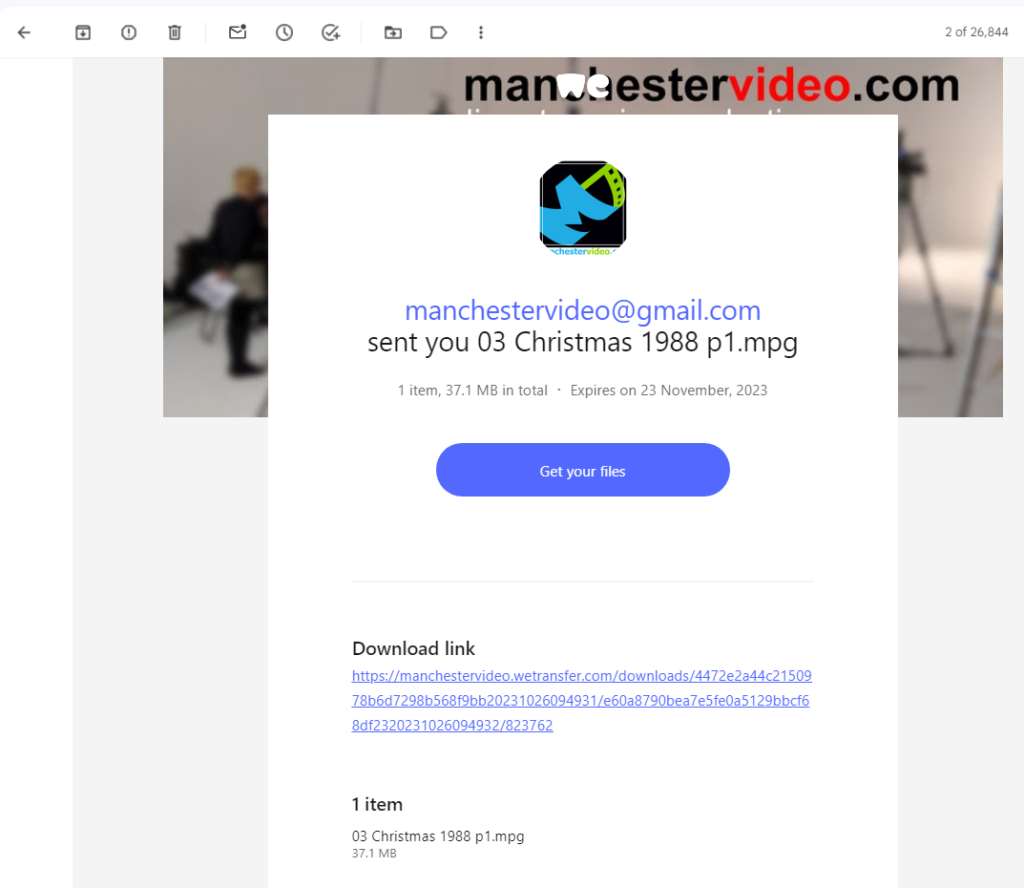
When you click the link or the “Get your files” button your browser will open our WeTransfer portal page. Here is a screenshot of what that looks like. Note you may need to accept cookies or terms and conditions before reach this page if you haven’t used WeTransfer berfore.

Click the download button to start saving your file(s) onto your computer.
Information about our digital video download service
- Download the files on a computer. Don’t use an iPad, tablet or phone*.
- Links expire after 4 weeks. The expiry date is shown on the email and the portal.
- The files we make are H.264 MP4. This a highly compatible industry standard format.
- Our web portal uses WeTransfer Pro.
- In most cases you’ll need a password to download your file(s). We send passwords separately from the download link.
- You can request an alternate digital delivery service. Google Drive is our second choice.
- The digital files are the same as you would receive on a USB.
- We strongly recommend you make backup copies of all files.
- You are free to copy and edit your files as you wish.
- Copying digital files doesn’t degrade the quality.
- It is possible to share the link and password with family and friends across the world.
- You do not need a WeTransfer account to download your files.
- We are always happy to answer questions and help if you get stuck.
*Here’s why we recommend using a computer to download your files. Tablets and phones do save files into organised folders but it’s not always easy to find them. We’ve had customers bring their iPad in with 5 or 6 copies of the same file downloaded but they haven’t been able to find or watch the video.
Windows and Mac OS place your files in a download folder so it’s relatively easy to find your videos. Secondly most computers have a more space to store files. Many tablets and phones have limited storage capacity.
If you’re up to speed with mobile file systems and the workings of iOS and Android then you’ll be fine.
Your home videos are personal data. We cannot keep customer data (your videos) longer than is necessary to carry out the work. We will keep backups for 30 days from completion. If you haven’t downloaded your files within 30 days for any reason you must tell us before the link expires and discuss it with us.
We know this is repeated from the points above but it’s worthwhile. Backing up or making copies of your files essential. You can make copies onto different computers, portable hard drives, USBs and Cloud services like Google Drive and iCloud.